Find your overlap.
See the same moment across cities, with photographs and daylight colors that make time differences easy to feel. Turn your phone sideways for a wider view.
 nomadtime
A visual world clock
For the places you love, the people you miss, and the life you want to explore.
Find a time to call. See where your workday fits. Keep a little of every place with you. NomadTime makes the world feel closer, one beautiful clock at a time.
For iPhone & iPad · Public release coming soon
No account. No ads. Your saved places stay on your device.

Make room for the world
See the same moment across cities, with photographs and daylight colors that make time differences easy to feel. Turn your phone sideways for a wider view.
Save Work, Sleep, or a range of your own. See how it translates elsewhere, including across midnight. Adjust, lock, or switch each one on and off.
Make a personal map of notes, photos, and memories. Create your own color legend and add a clock for the places you want to stay connected to.
See it in action
Real screens from NomadTime on iPhone. Tap any screenshot for a closer look.
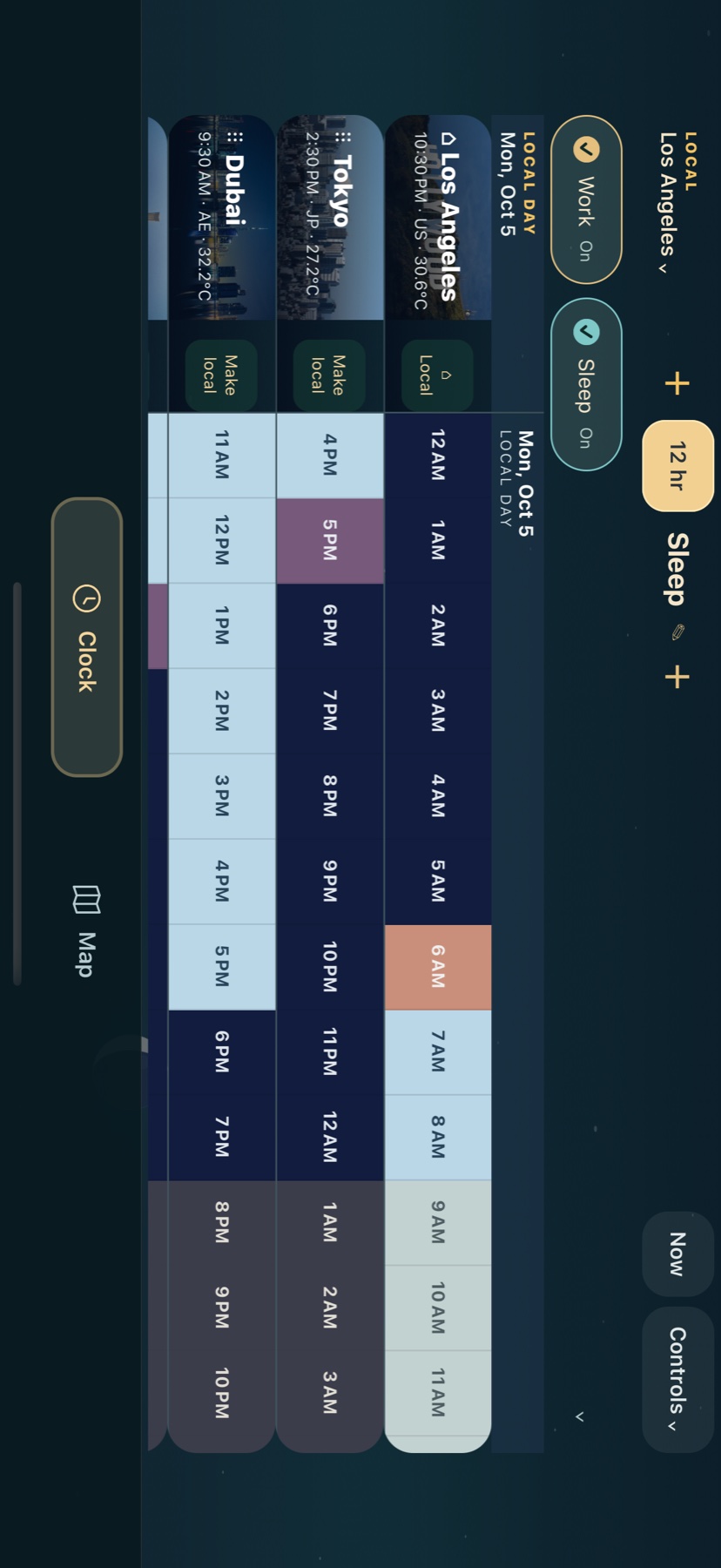
01 / Turn it sideways
Morning in one place, evening in another. Landscape mode lines up your cities with colors for daylight, dusk, and night. Swipe through the hours to find a moment that works for everyone.
02 / Bring your routine
Save a range as Work, Sleep, Dance, or anything you like. Compare several at once, or switch one off to try a different plan.
Sleep from 10:30 PM to 6:00 AM crosses midnight naturally. The range stays connected as you compare it in other time zones.
How to add and adjust a range ↗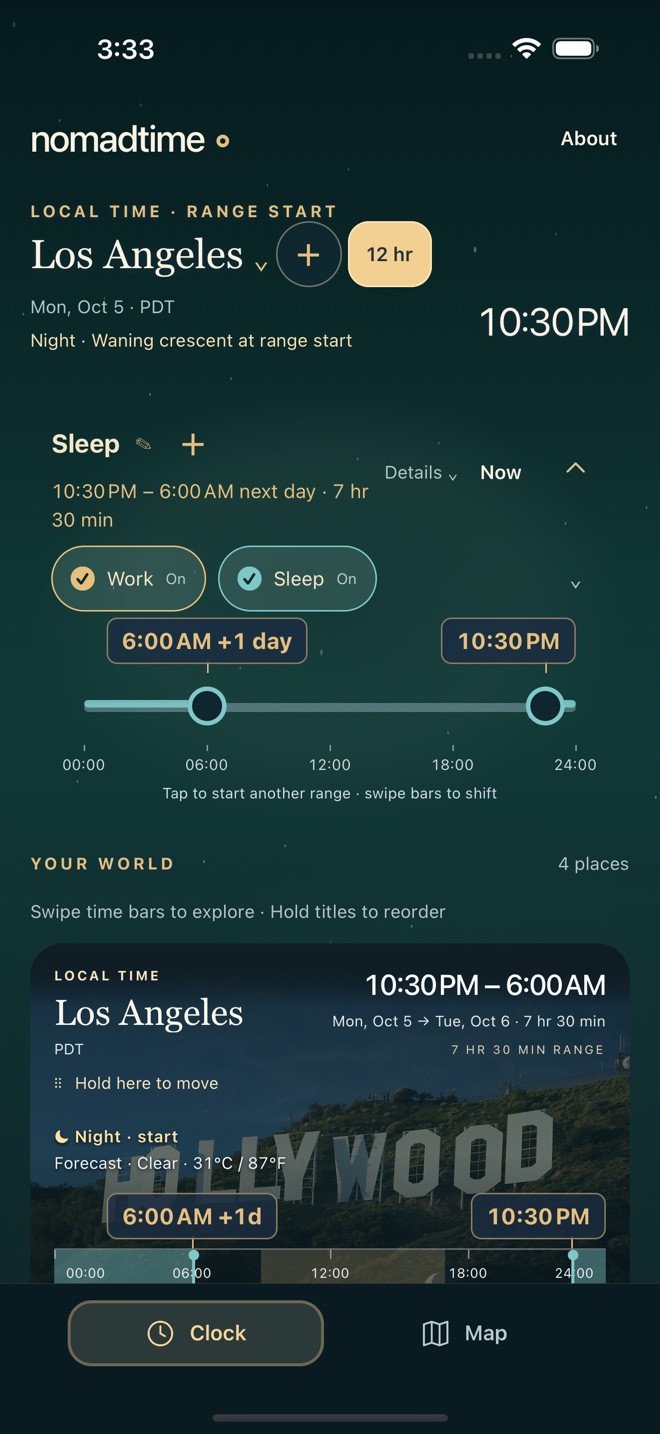
03 / Make it personal
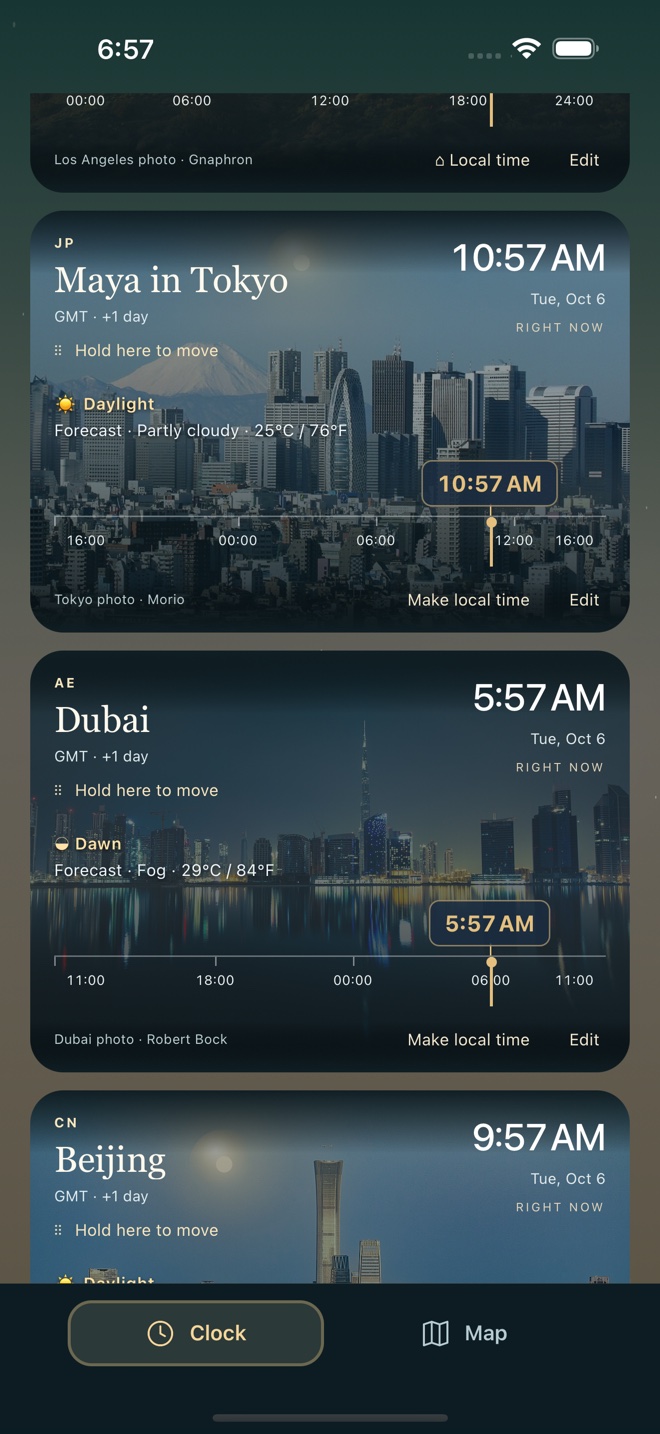
Name a clock for the person you’re thinking of. “Maya in Tokyo” makes it easier to answer the real question: is this a good time to call?
Open the tile, enter a Custom name, and tap Save name. The clock keeps the place’s time zone.
See the naming steps ↗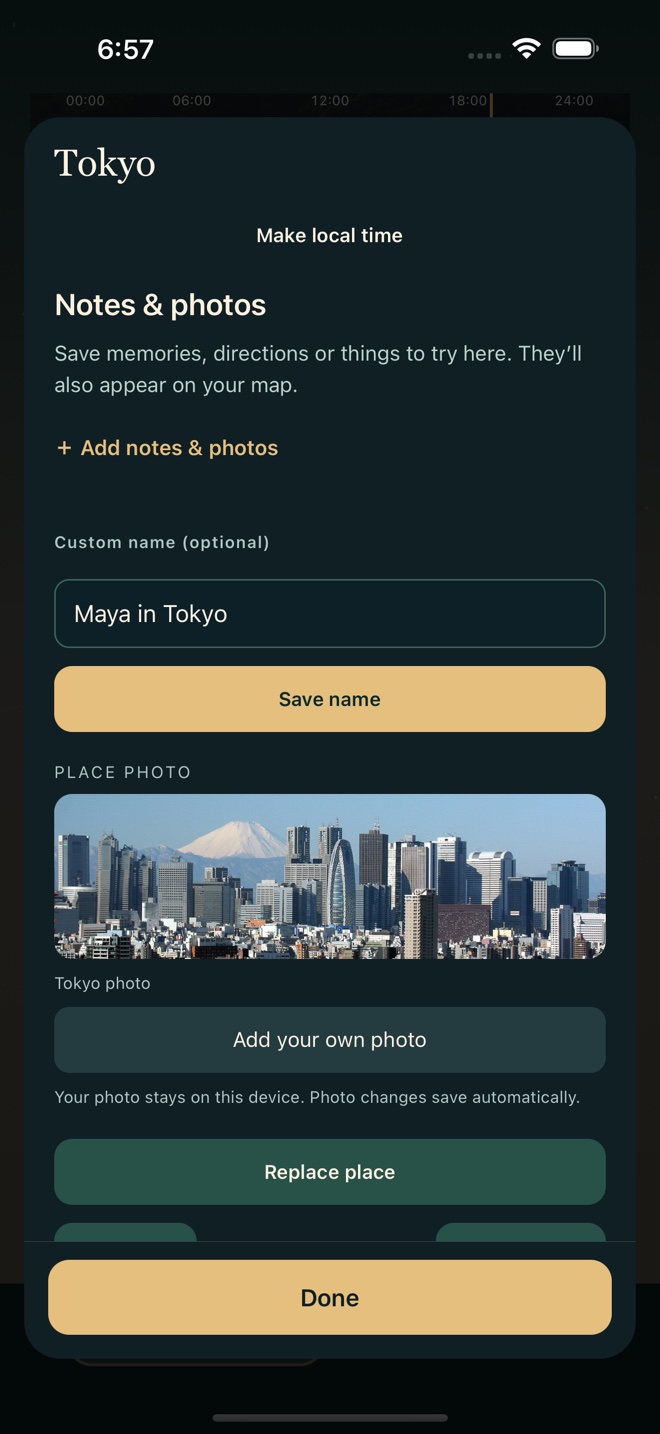
04 / Keep a little of every place
Drop a pin and keep the details you don’t want to lose: a sunset walk, directions to a favorite spot, or a note for next time.
Add your own photos and color labels. A linked clock lets you come back to the same notes from your world clock, too.
How pins, notes, and clocks connect ↗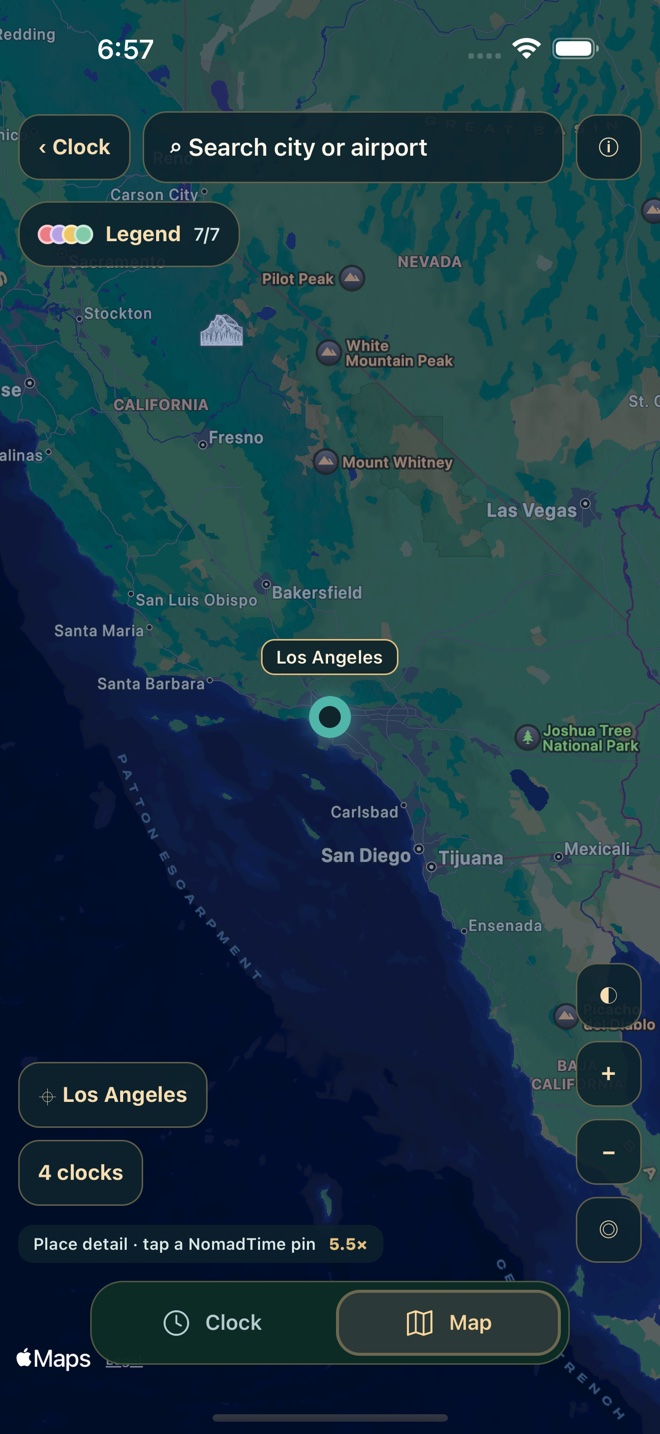
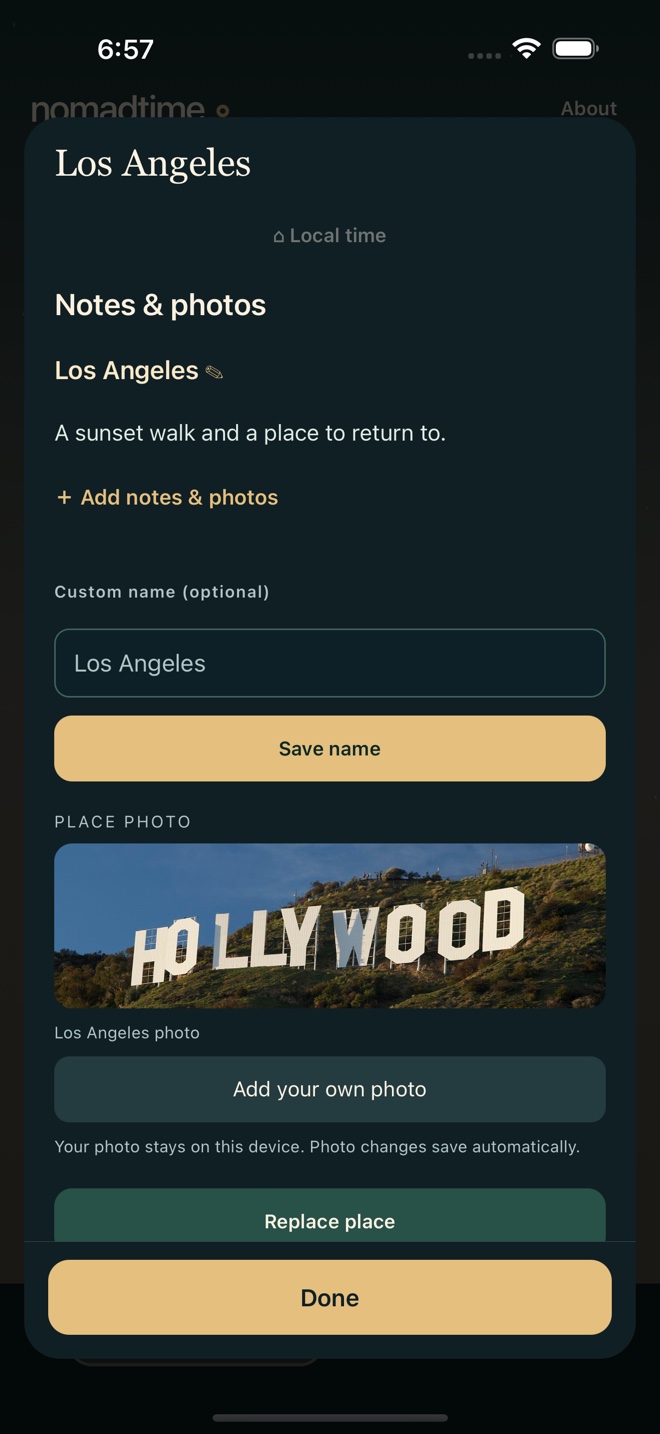
Screens show the iOS app with example names and notes. Saved content stays on your device.
Made for possibility
NomadTime began with a simple wish: to make the world feel more accessible. To imagine a life somewhere new, keep in touch across time zones, and remember the places that changed you.
Whether you’re coordinating five friends or wondering when you’d sleep in Tokyo, start by seeing your day there.
Read the design & engineering case study ↗
Questions? We’re here to help ↗